Improving
first-time
activation
Many new users installed Birda but left before taking a meaningful first action. I redesigned the onboarding experience to communicate value faster, personalise the journey and support the launch of a paid subscription.
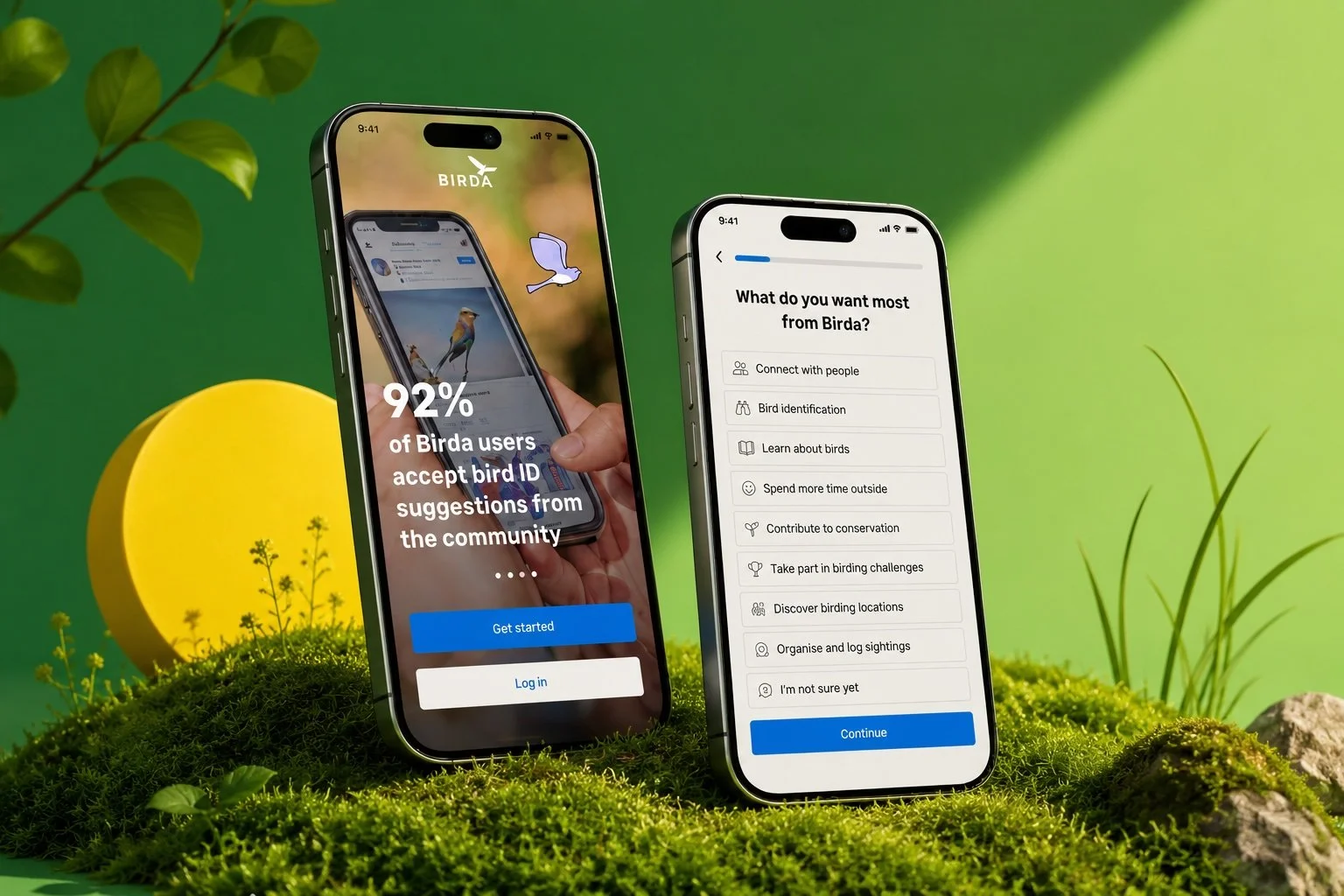
Birda is a mobile app where people identify birds, log sightings and learn through a community of birdwatchers. Many new users were leaving before they understood the product or took a first meaningful action. I redesigned onboarding to explain the product's value upfront, personalise the experience based on user intent, and guide each person to a clear starting point, turning a registration step into an activation moment that also supported the launch of Birda+.
Users left before they understood what Birda could do
Birda was growing, downloads were steady and increasing. But the data told a different story inside the app. A large proportion of new users were dropping off before they ever experienced the product’s value. Some didn’t finish registration. Some completed sign-up but then did nothing. Most had no idea where to start.
This became urgent when the product introduced Birda+, a paid subscription presented during onboarding. We were asking people to consider paying for something they hadn’t yet understood.
Users dropped off during registration, before experiencing any real value
Users who completed sign-up often did nothing meaningful in their first session
Users didn't know what to do first, there was no clear starting point
“The issue wasn’t only friction. The deeper problem was a lack of clarity and confidence in the first minutes.”
The same uncertainty kept surfacing
Across user interviews, app reviews and Customer Support conversations, I kept hearing the same questions from first-time users.
Is this an app for identifying birds, or is it more like a social platform?
I'm a beginner… I don't really know any birds yet. Is this app for someone like me?
I wasn't sure what I was supposed to do first.
I thought it was just for experienced birdwatchers.
Four themes. One root cause
After clustering insights from interviews, app reviews and Customer Support logs, four themes emerged that shaped every design decision.
Two users.
One flow that had to serve both.

"I don't know bird names yet, but I want to learn. I just need to know this app is for someone like me."
- ✓Clear value before sign-up
- ✓Friendly beginner-safe onboarding
- ✓Community that welcomes newcomers
- ✕Apps feel built for experts only
- ✕Afraid to log wrong IDs publicly
- ✕Registration before value feels like a barrier
- ✓Connect with nature mindfully
- ✓Curious about birds near her flat
- ✓Needs gentle guidance
- ✓Enjoys learning through community

"I've been birding for 20 years. I need a tool that's genuinely useful for serious birders, not a toy."
- ✓Depth and data-rich features
- ✓Fast path to advanced functionality
- ✓Credibility signals from day one
- ✕Generic onboarding feels patronising
- ✕Worried the app will be too casual
- ✕Wants to import eBird data fast
- ✓Consolidate his life list in one place
- ✓Contribute to citizen science data
- ✓Track rare species and local sightings
- ✓Connect with serious birders
Before & After, Mapped Step by Step
Mapping Sara's journey through the original onboarding revealed exactly where clarity collapsed and where the redesign needed to build momentum.
From Problems to Possibilities
Reframing each problem as a “How Might We” statement helped move from diagnosis to design direction, keeping focus on user needs rather than technical constraints.
How might we communicate Birda’s value in under 30 seconds, before asking users to create an account?
How might we make both beginners and experts feel like the app was designed specifically for them?
How might we give every new user a clear, low-stakes first action that builds confidence and creates early momentum?
How might we earn user trust before presenting Birda+, so the paywall feels like a natural upgrade, not a gate?
How might we capture meaningful user intent data during onboarding without adding friction to the experience?
What I Was Designing For
Design Goal
- Explain Birda’s value before asking users to create an account
- Capture user intent to personalise the experience from the start
- Guide users to a meaningful first moment, not a dead end
Success Looks Like
- Higher completion rates for onboarding and sign-up
- More users taking an early action, identify, learn, log or explore
- Clearer segmentation of motivations to inform future product decisions
- Improved Birda+ conversion by communicating value before the paywall
Learning Fast, Validating Before Building
Birda was a small team moving fast, and I was the sole designer. Speed and clarity mattered.
User feedback loops
Interviews, app review analysis and Customer Support log review to understand real friction, not assumed friction
Competitor research
Benchmarking onboarding patterns across Merlin, eBird, iNaturalist and Seek to understand best-in-class activation
HMW reframing
Turning research problems into design directions collaboratively with the Product team
Rapid Figma iteration
Exploring and testing different onboarding structures with low-fi wireframes before committing to hi-fi
Cross-functional alignment
Working closely with Product, Engineering and Marketing so onboarding served both users and the business
What the Best Onboarding Flows Do Differently
I benchmarked Birda’s onboarding against four comparable nature apps. Most competitors shared Birda’s problem: they gated value behind sign-up.
Structure Before Screens
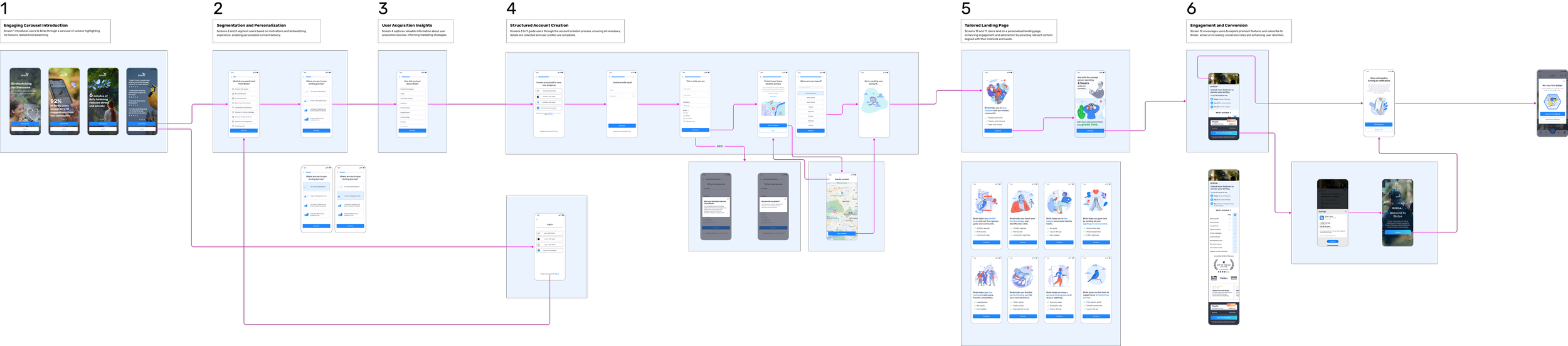
Before opening Figma, I mapped the new onboarding IA, defining the six-stage structure and how each personalisation path branched based on user responses.
The key structural decision was keeping the three personalisation paths as branches, not separate flows. Users diverge at the segmentation step, then converge back into a shared spine, ensuring a consistent core experience regardless of entry point.
Equally, the three exit actions are intentionally parallel, no single "correct" next step. The onboarding succeeds when the user feels ready to act, not when they've been pushed toward one outcome.
What Wasn't Working
In the original flow, account creation came first. Profile setup came next. Then permissions. Users invested effort without understanding what they were investing it for.
Original flow, account creation required before users experienced any value
- Account creation before any value shown
- Generic experience for all user types
- Paywall presented before trust was earned
- No direction or momentum after sign-up
- Value shown in first 30 seconds
- Personalised path based on experience level
- Birda+ introduced after value is established
- First badge drives immediate action and reward

Value First, Friction Later
I restructured onboarding into six clear stages, moving account creation further down the flow so users could understand the product before being asked to commit. This redesign also needed to support the launch of Birda+.
Redesigned flow, value and personalisation before account creation
Engaging Introduction
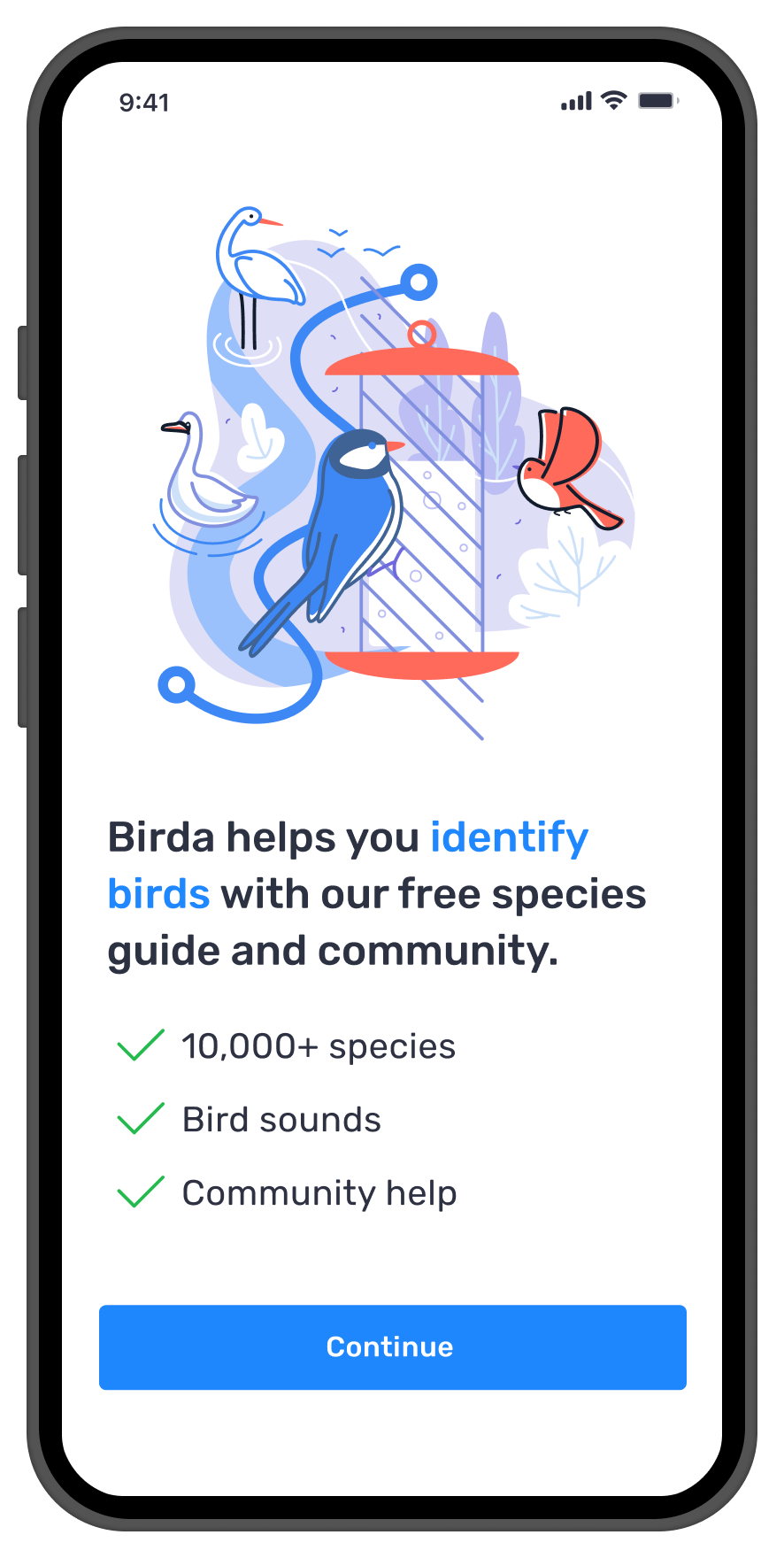
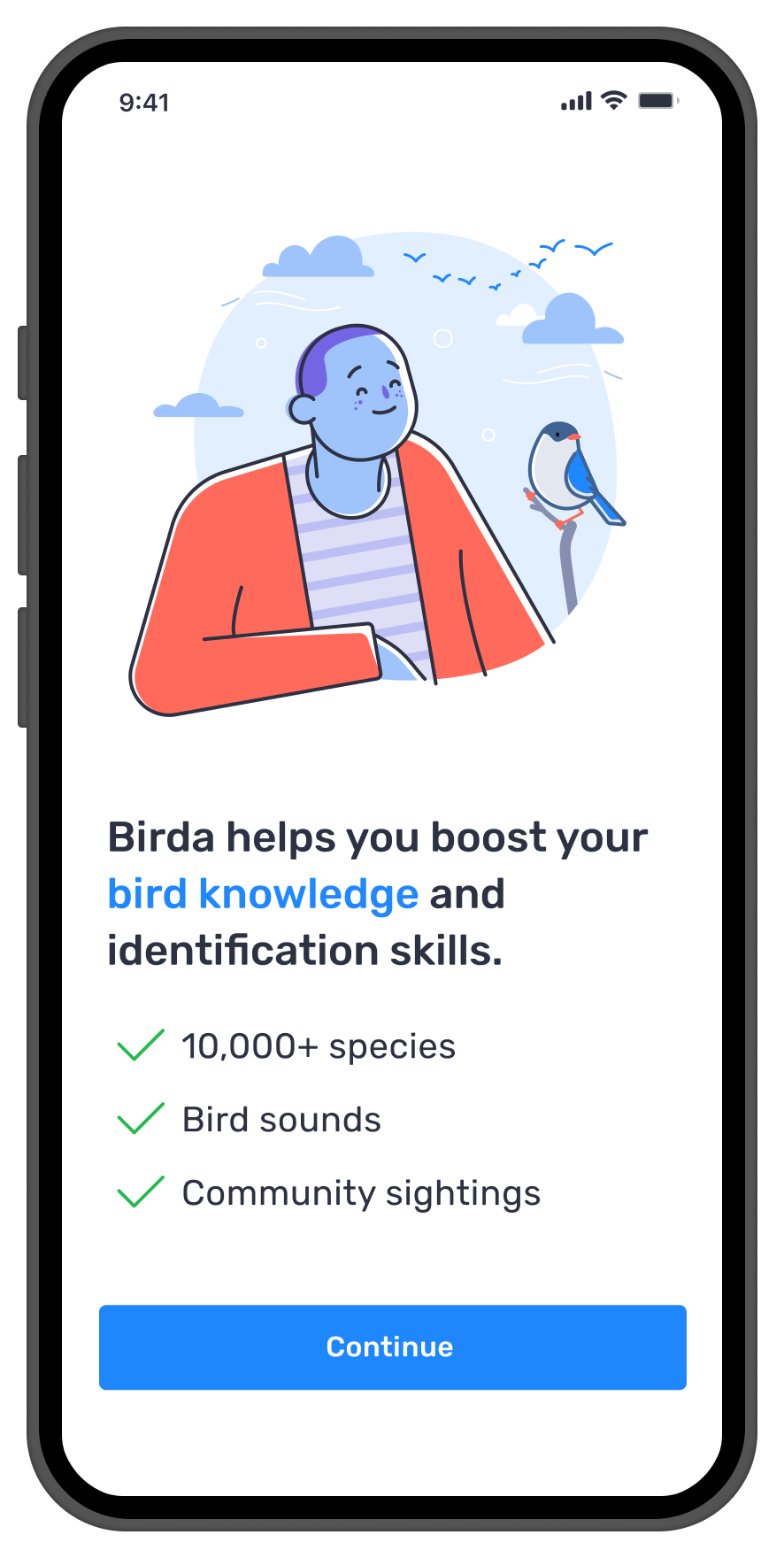
A short value carousel upfront communicates what Birda offers within seconds, using clear benefits and social proof before asking users to commit.
Segmentation & Personalisation
Two quick questions capture intent and experience level. Birda gives each user the experience most relevant to them from the start.
User Acquisition Insights
A lightweight question about how users found Birda, giving Marketing early visibility into acquisition channels without meaningful added friction.
Structured Account Creation
Sign up now happens after users have understood the value. It feels like a natural next step, not a gatekeeping barrier.
Tailored Landing
A personalised landing screen reflecting the user's stated intent, with relevant content and clear next actions immediately.
Engagement & Conversion
A "first badge" mechanic encourages immediate action, users earn it by logging their first sighting or importing from another app.
The Designs
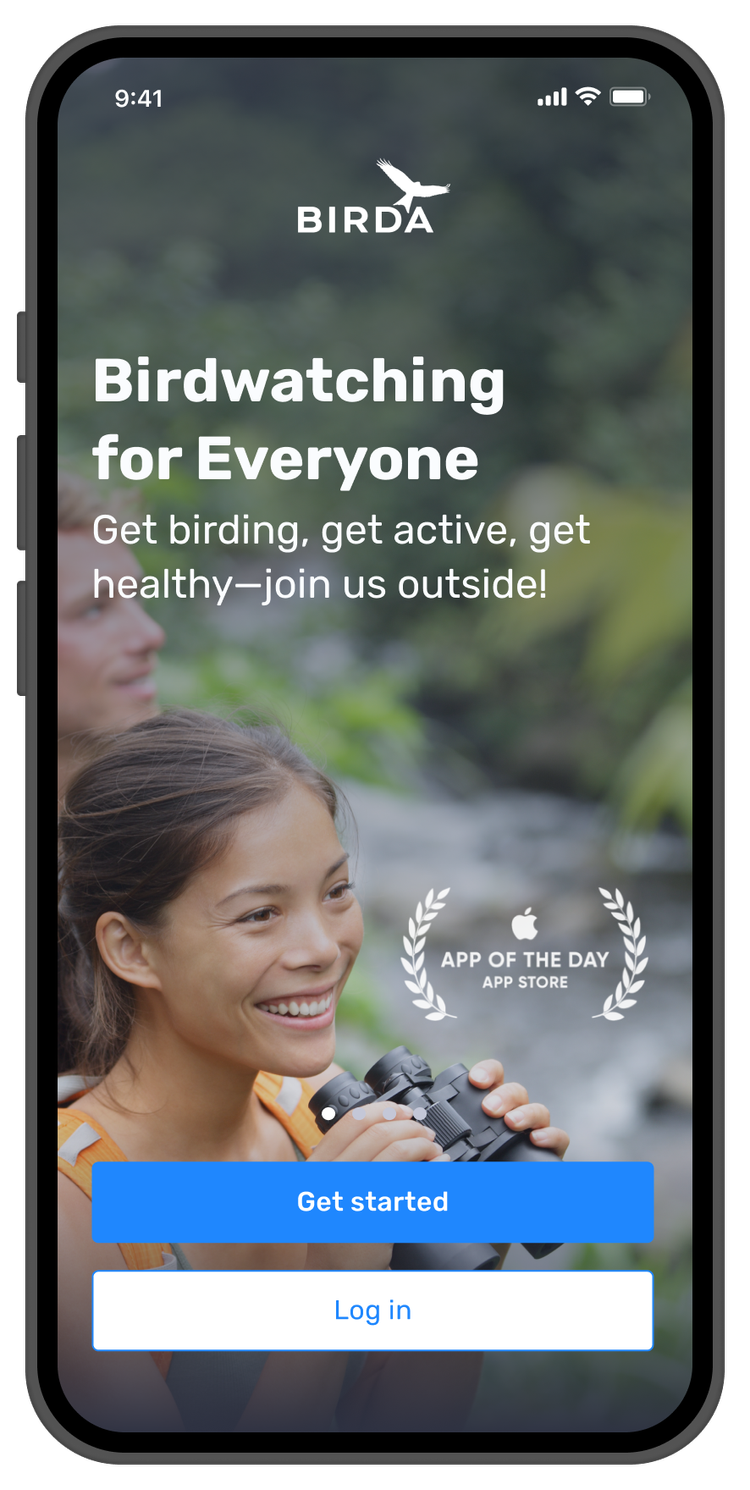
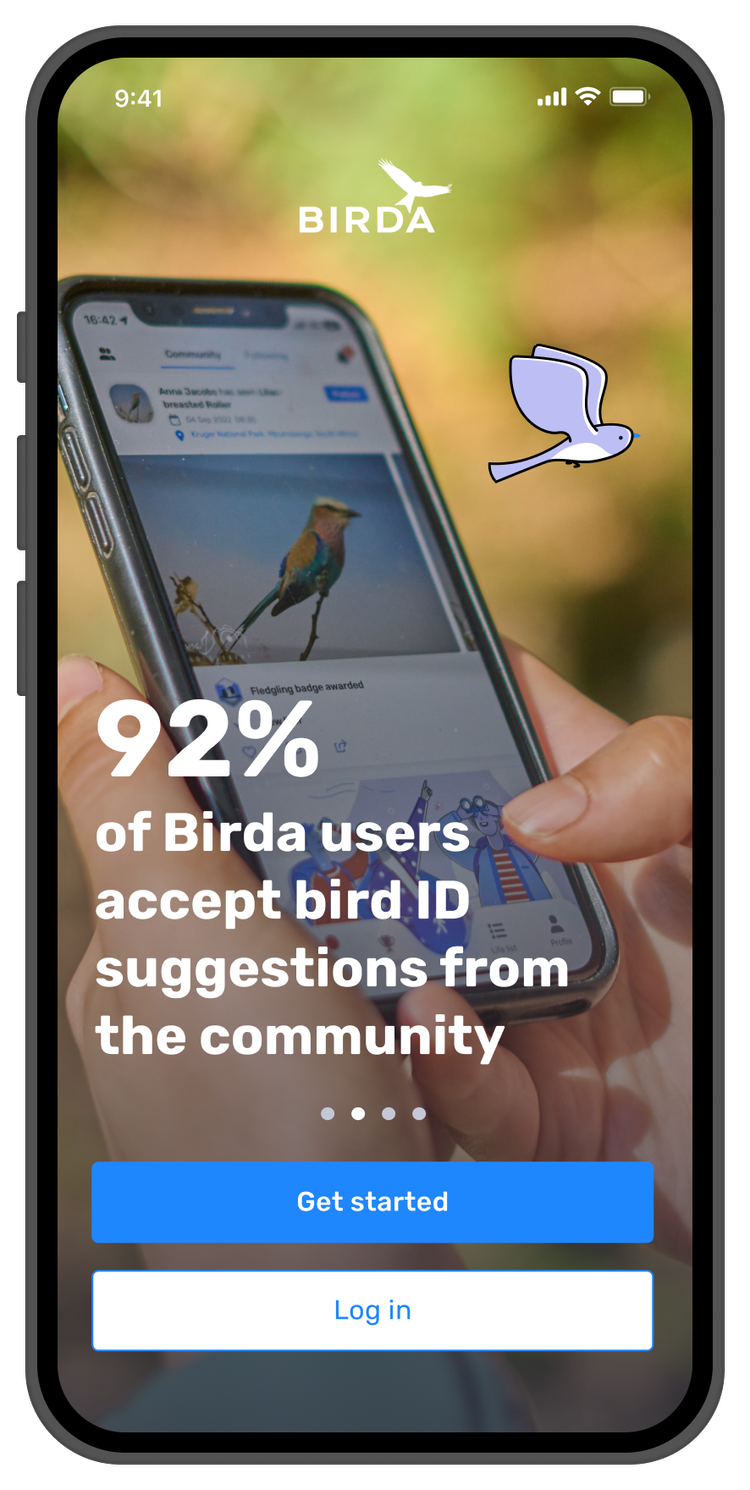
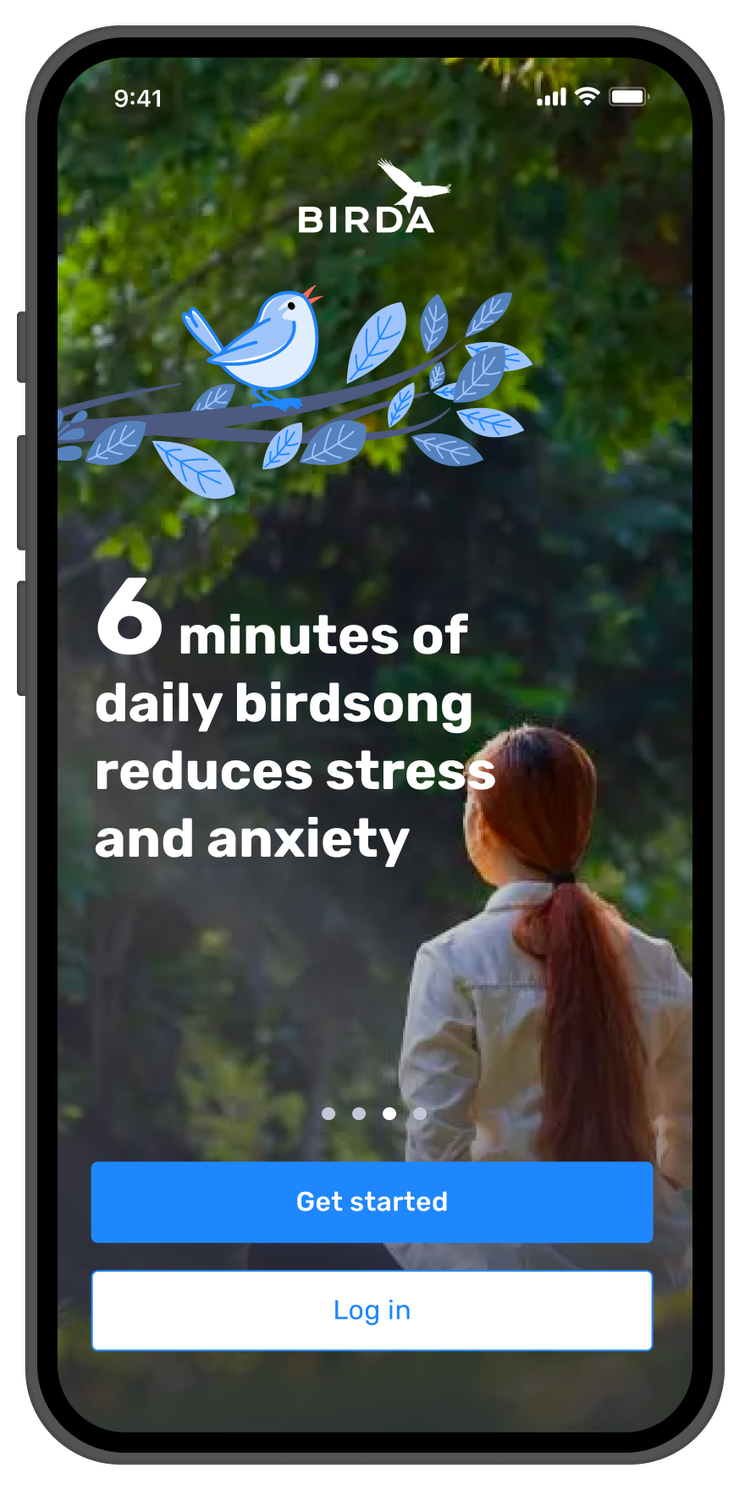
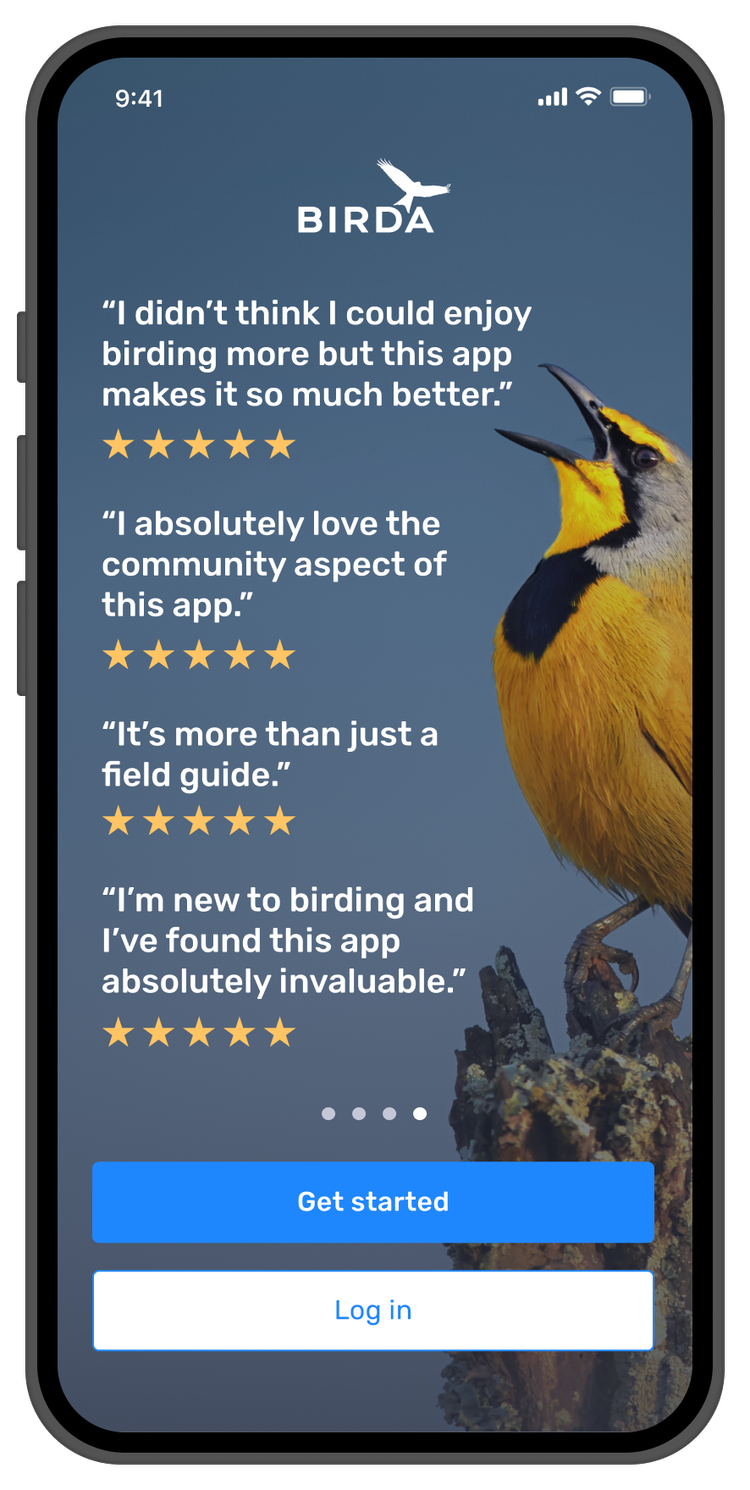
Stage 1, value communicated upfront, before account creation
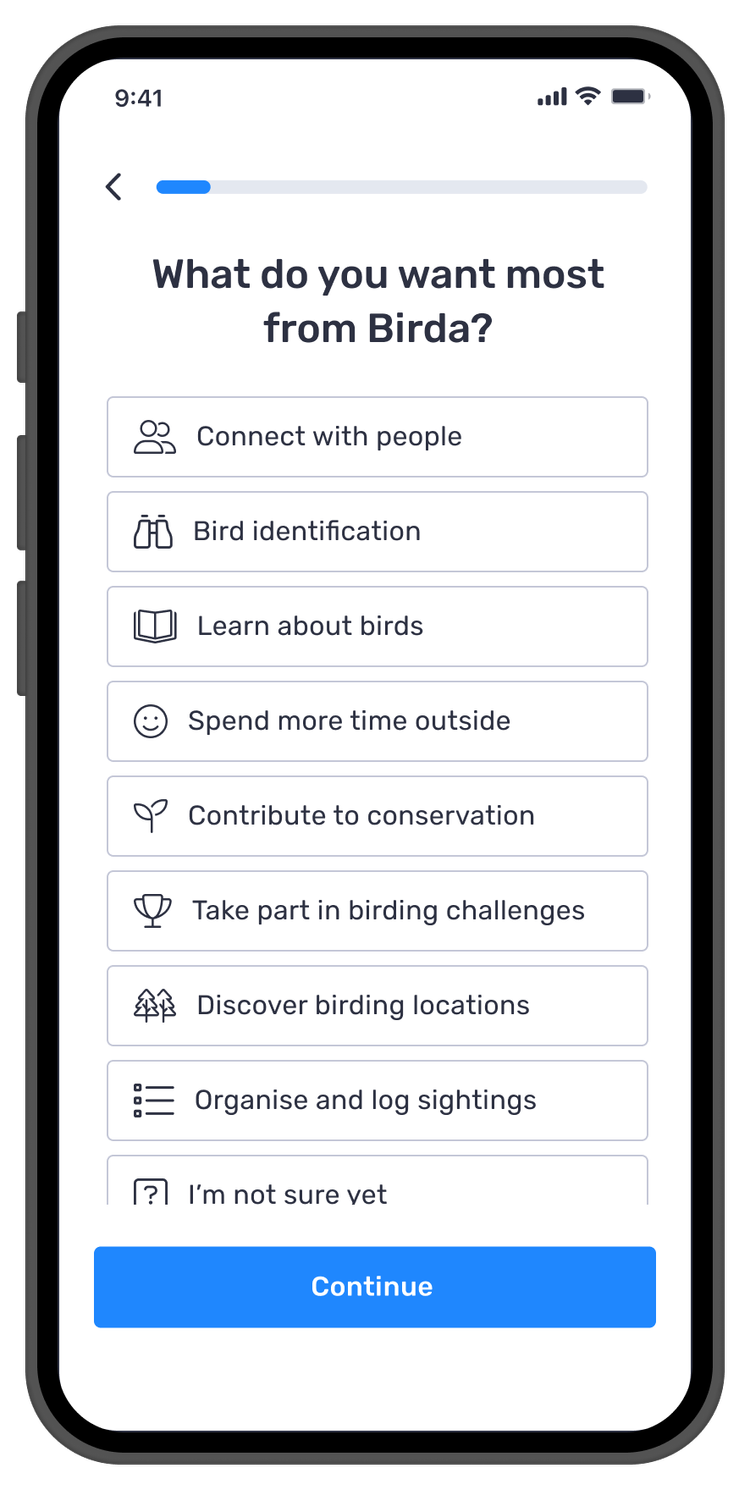
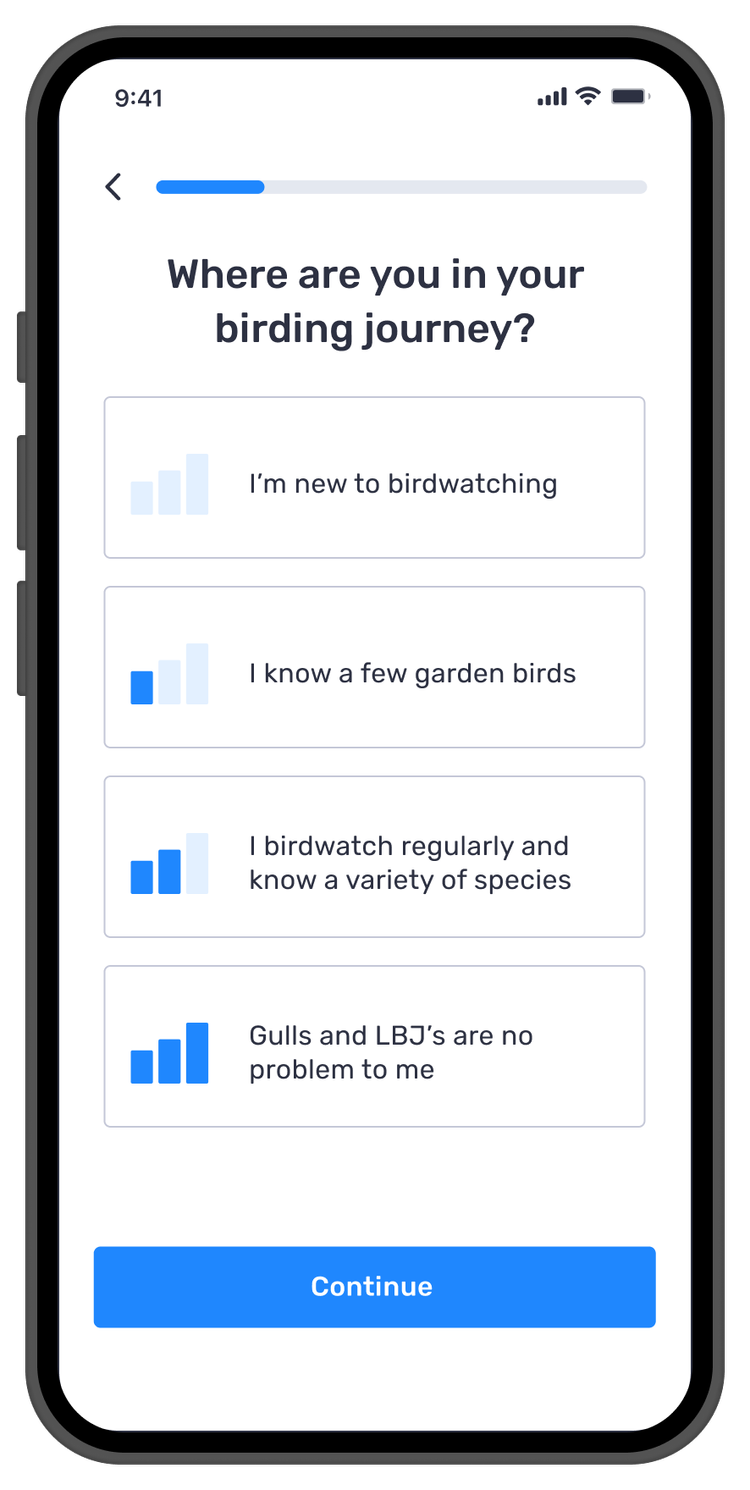
Stage 2, segmentation questions to personalise the path
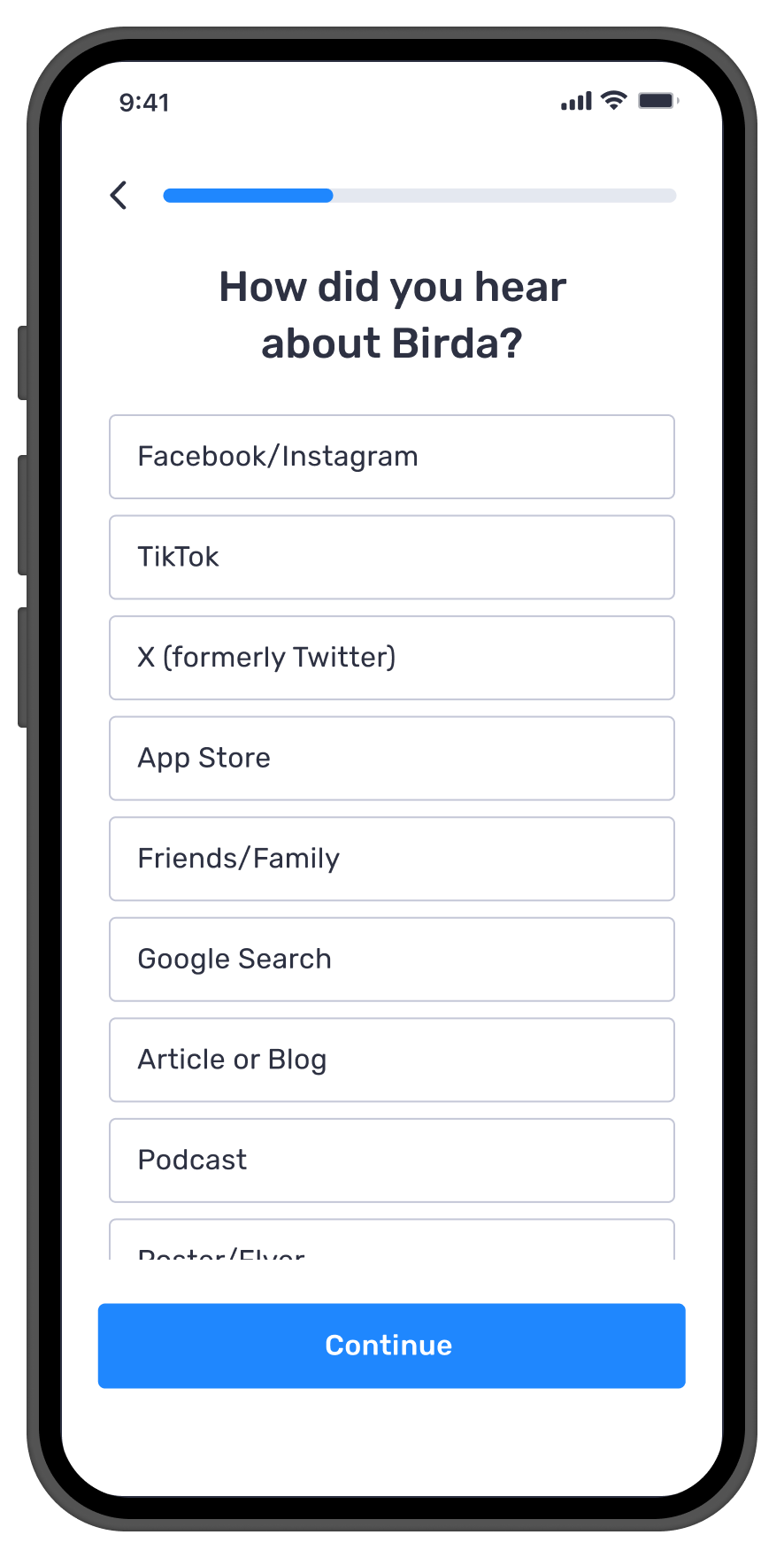
Stage 3, lightweight acquisition question to capture how users discovered Birda
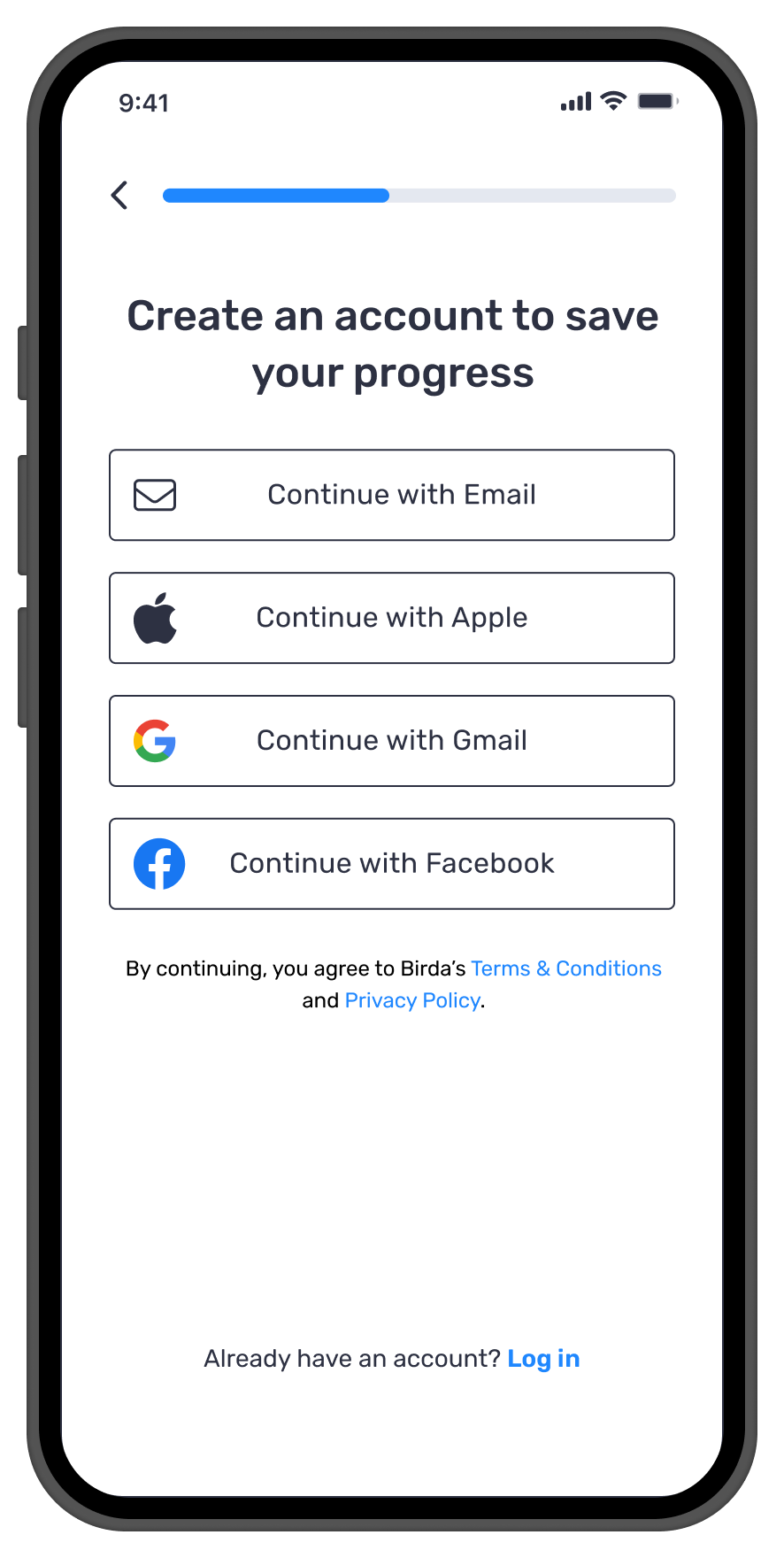
Stage 4, simplified account creation, after users understand the value
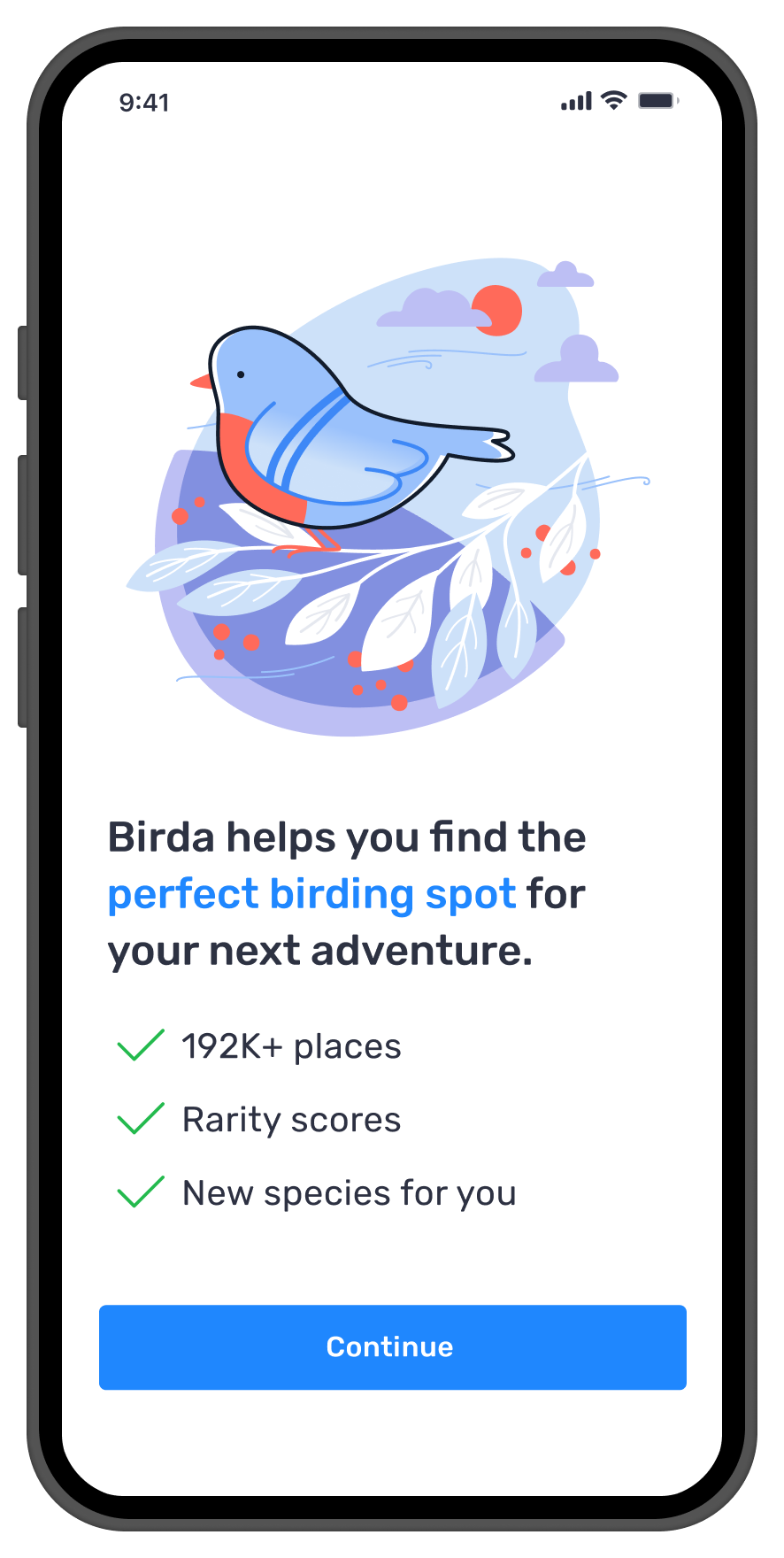
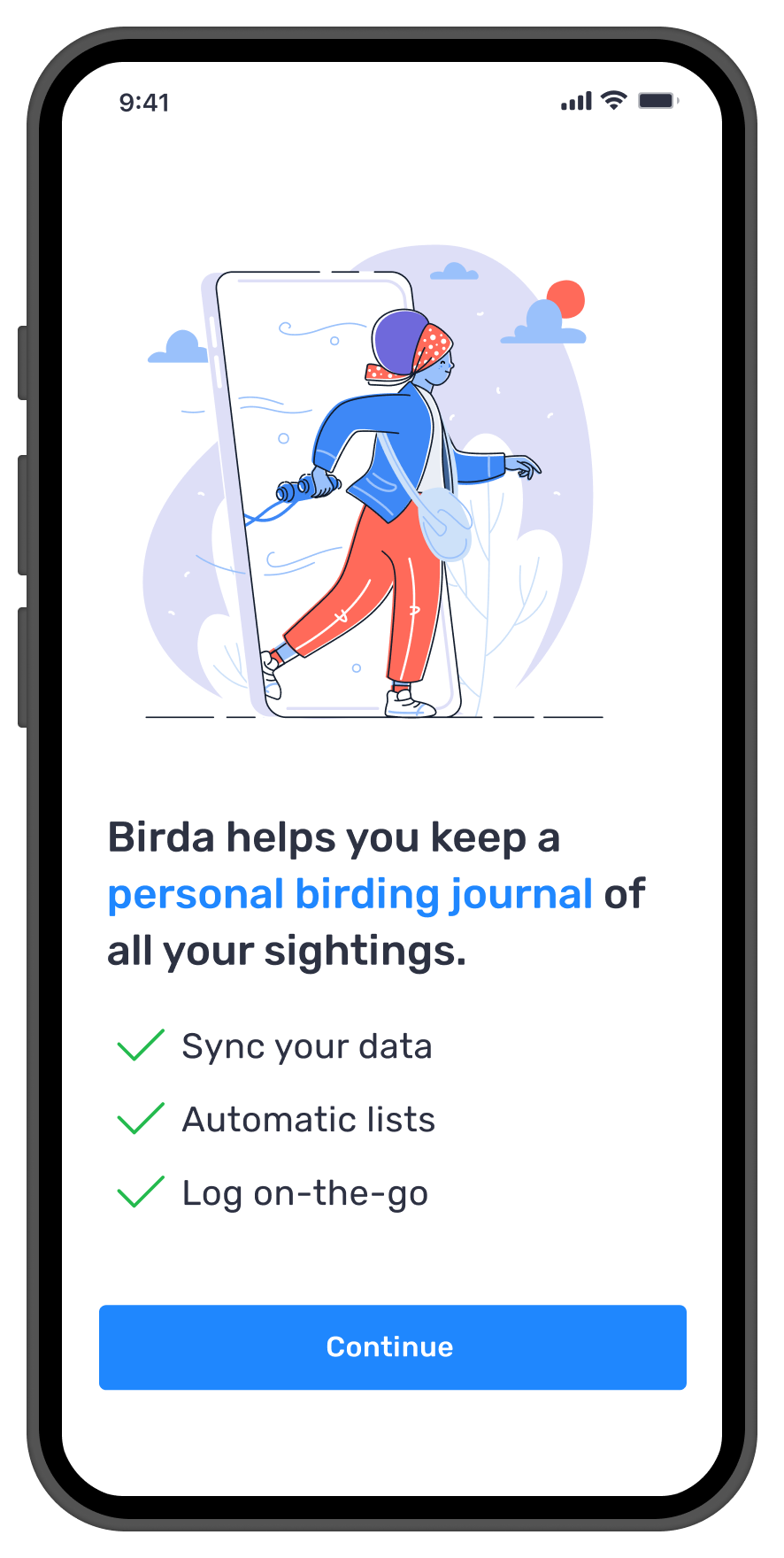
Stage 5, personalised landing based on stated intent and experience level
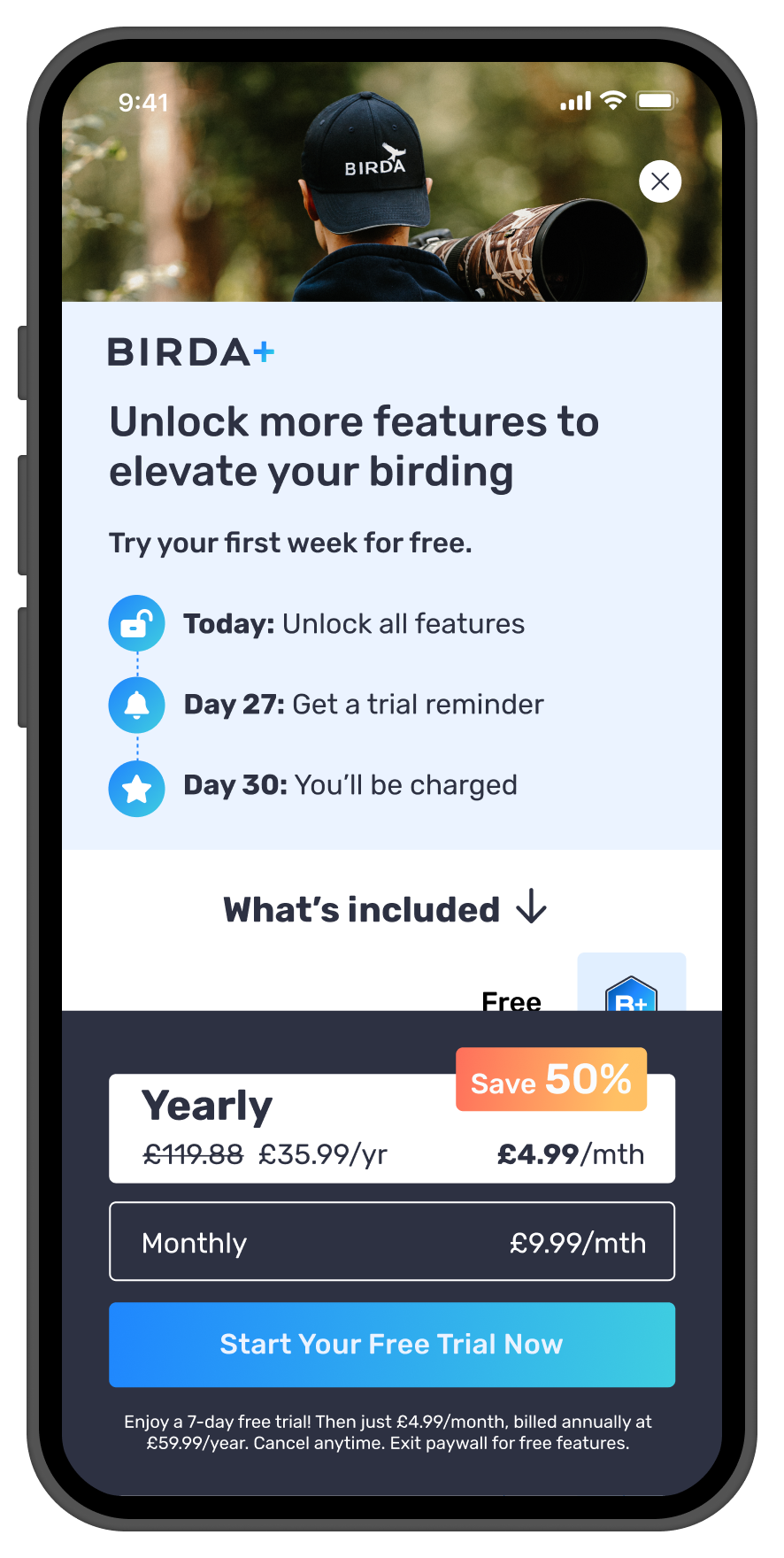
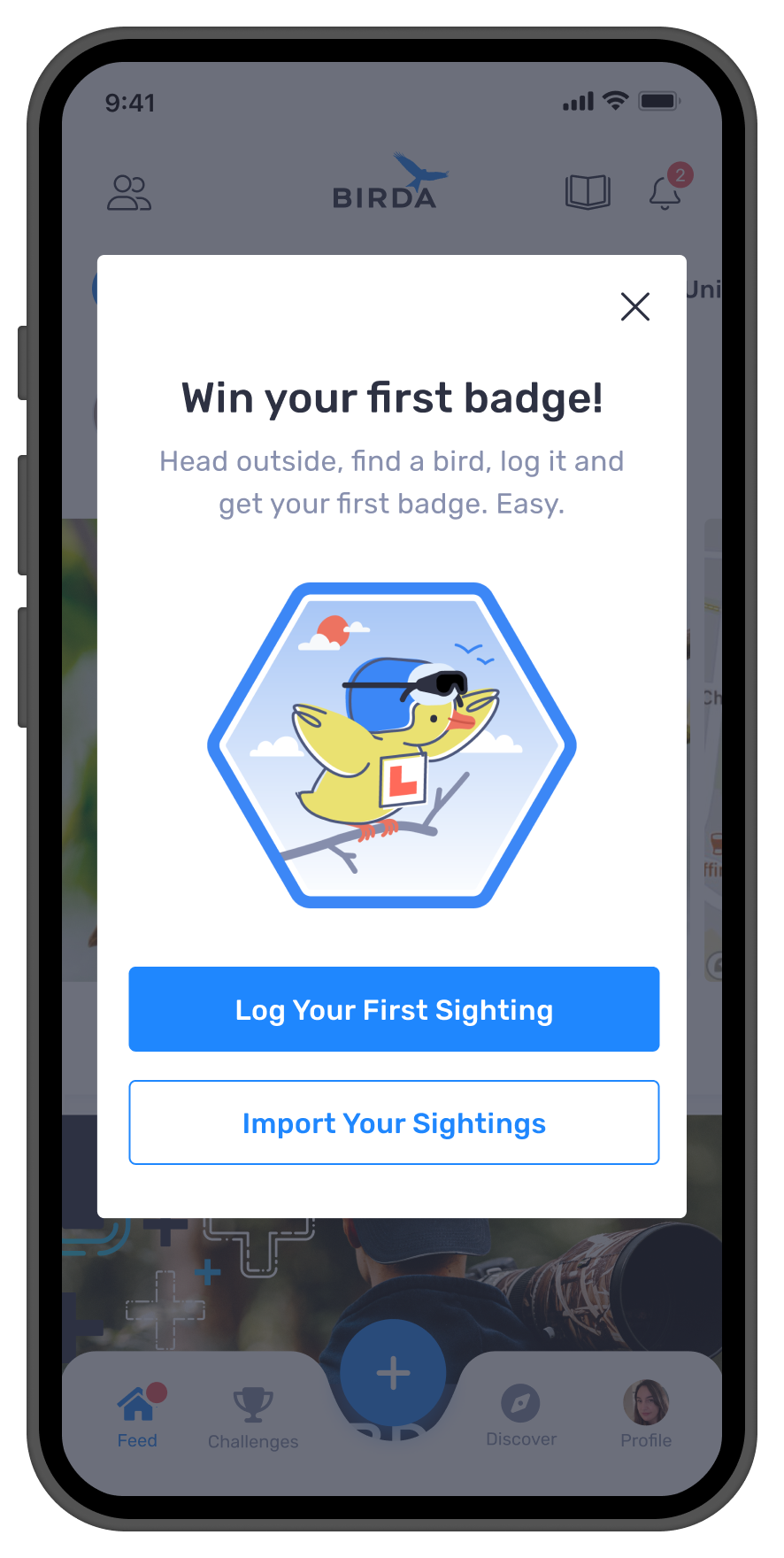
Stage 6, first badge mechanic to drive immediate action and reward
Users Understood Birda Faster and Acted Sooner
Onboarding is a product, not a step: The registration flow is often the highest-traffic screen in the app. Treating it as a design priority, not an afterthought, had a measurable impact on activation and early retention.
Value before commitment changes everything: Moving account creation after the value carousel reduced the sense of gatekeeping. Users who understood the product before signing up were more likely to complete registration and take a first action.
Segmentation at entry pays off downstream: Two quick questions at the start gave Marketing acquisition data, gave Product a personalisation signal, and gave users a feeling of being understood, all for minimal added friction.
Beginners are a majority, not an edge case: The data showed a much larger beginner segment than the team had assumed. Designing for them explicitly, with reassurance, clear language and a low-stakes first action, improved the experience for everyone.
The paywall moment needs to be earned: Presenting Birda+ after users had experienced value, not before, changed how it landed. An upgrade feels different when the user already understands what they are upgrading to.
What this project taught me
This project reinforced that onboarding is not about reducing friction or simplifying sign-up. It is about building clarity and confidence in the first few minutes before users have any reason to trust you.
When a product isn't a household name, users don't arrive with context or patience. Onboarding is the entrance to the house. It needs to explain what the product is, who it's for, and how to begin in a way that feels reassuring, not overwhelming.
Reframing the problem from drop-off to guidance and confidence changed the solution entirely.
Wider Impact
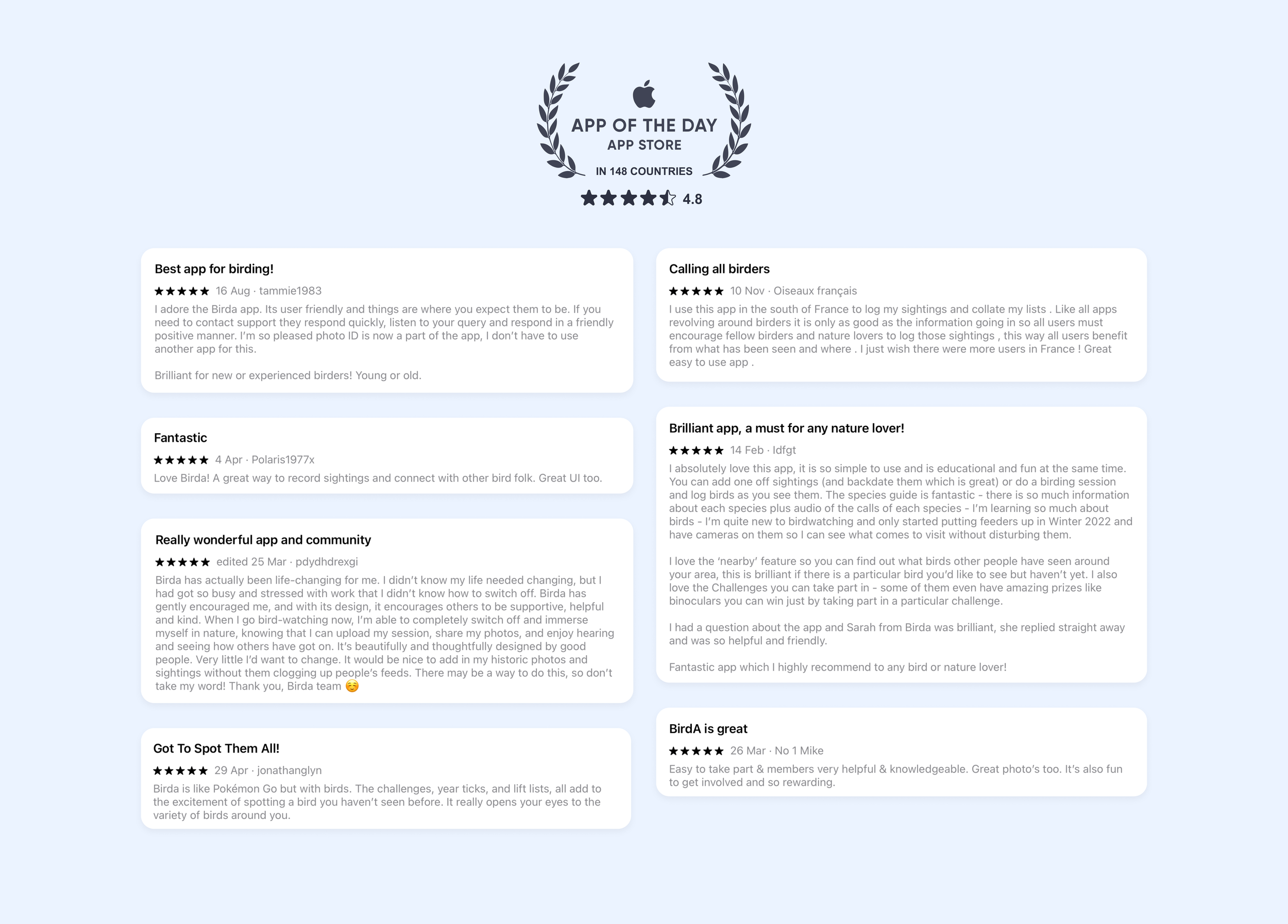
App of the Day · 148 Countries
Birda was featured as App of the Day on the Apple App Store in 148 countries, a reflection of the overall quality of the product experience built across four years of continuous design work as the sole designer.