Birdwatching
is better
together
Birda users loved logging sightings, but there was no way to share that experience with the people they actually knew. I designed Private Challenges: a social feature that lets users create their own challenges and invite friends to compete together.
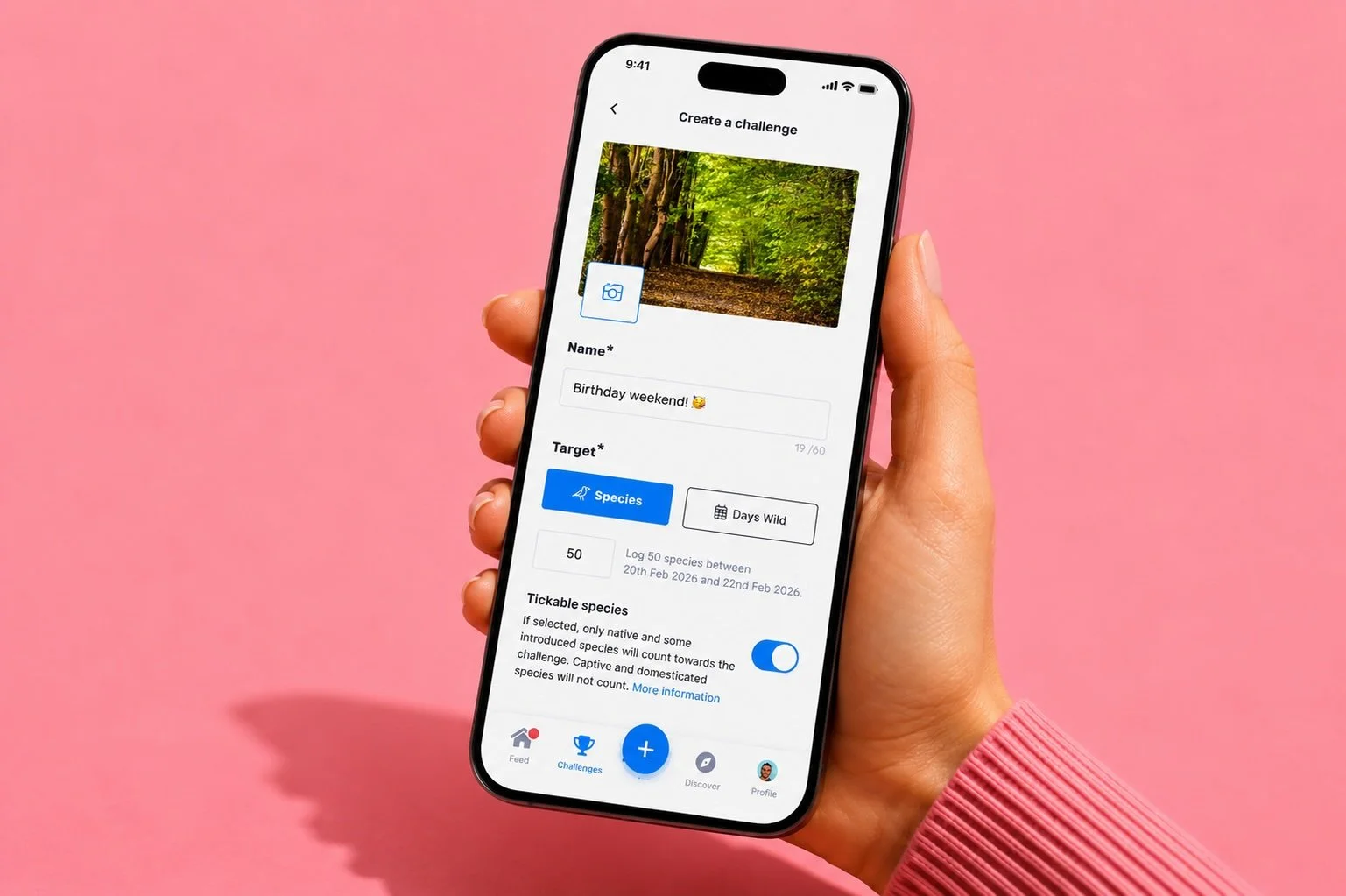
Private Challenges was one of the most consistently requested features in Birda's history. Users wanted to create their own challenges and compete with the people they actually knew, not just join public ones created by Birda or partner organisations. I designed the full end-to-end experience for both the creator and the invitee, shipped as a flagship feature of the Birda+ subscription tier.
From joining to creating
Birda already had Challenges, monthly targets created by Birda or partner organisations. You could join one. You could track your progress. But you couldn't create your own, and you couldn't invite anyone.
As the community grew, that gap became loud. It surfaced in support emails, social media comments, and direct feedback, consistently, over months. Users weren't asking for a minor improvement. They were asking for something the product simply didn't have.
"When can we create our own challenges?"
Months of customer support emails asking the same question, when can users create their own challenges?
Social media comments from engaged users wanting to set up personal challenges with specific friends or birding groups.
Birdwatching is inherently social, trips, group outings, events. The app had no feature that reflected this reality.
The community was asking for this
Across support emails, social media, and user conversations, the same themes kept coming up. Users weren't just logging birds, they were building habits, finding community, and looking for ways to share that with the people around them.
I want to spend more time outside. Having a challenge with my friends would actually make me go, knowing they are waiting for me.
My family doesn't use Birda yet. If I could create a challenge and invite them, that would be the reason to get them to download it.
It's my birthday next month. I'd love to create a challenge, go to a nature reserve, and celebrate with the people I love while spotting birds together.
I want to challenge myself, not just join someone else's target. Can I create my own and compete against my birding group?
The right feature at the right moment
With the launch of Birda+, we had the perfect vehicle. Users could create up to 4 private challenges for free, and unlock unlimited challenges with a subscription. It wasn't just a product decision. It was a direct response to what the community had been asking for, for months.
Create your own challenge, set the rules, invite the people you actually want to birdwatch with, and track progress together in real time.
The most-requested feature, now gated at the free tier with a clear upgrade path. Social invites bring new users onto the platform. Every challenge is a reason to come back.
4 free challenges, unlimited with Birda+. The model gave users a taste of the experience before asking them to upgrade, lowering the barrier while making the value of subscribing obvious.
Every private challenge involves two user types: the creator and the invitee. Both journeys had to feel coherent and connected, starting from very different entry points.
Rethinking the entry point
The existing Challenges section was a single list of public events. To accommodate Private Challenges, I restructured the home into two clear tabs and a logical content hierarchy that makes both experiences easy to find and navigate.

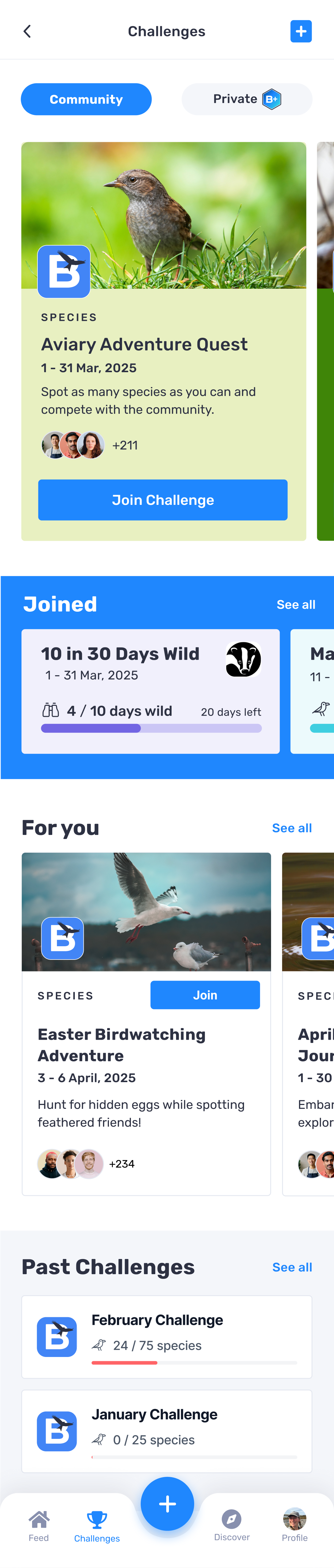
Community and Private tabs
Two clear entry points. Community for public challenges, Private for personal ones. The + button lets Birda+ users create a new challenge from anywhere.
Featured challenge
The most relevant active community challenge, displayed prominently with a clear call to action to join.
Joined
Challenges the user is currently participating in, with progress visible at a glance.
For you
Personalised challenge recommendations based on the user's birding habits and species interests.
Past challenges
A record of completed challenges, showing progress and results even after they have ended.
Building a challenge from scratch
When a user taps the + button in the Private tab, they enter a 4-step creation flow. Speed and confidence were the two design priorities. Fast enough to feel effortless, clear enough to prevent mistakes that can't be undone.
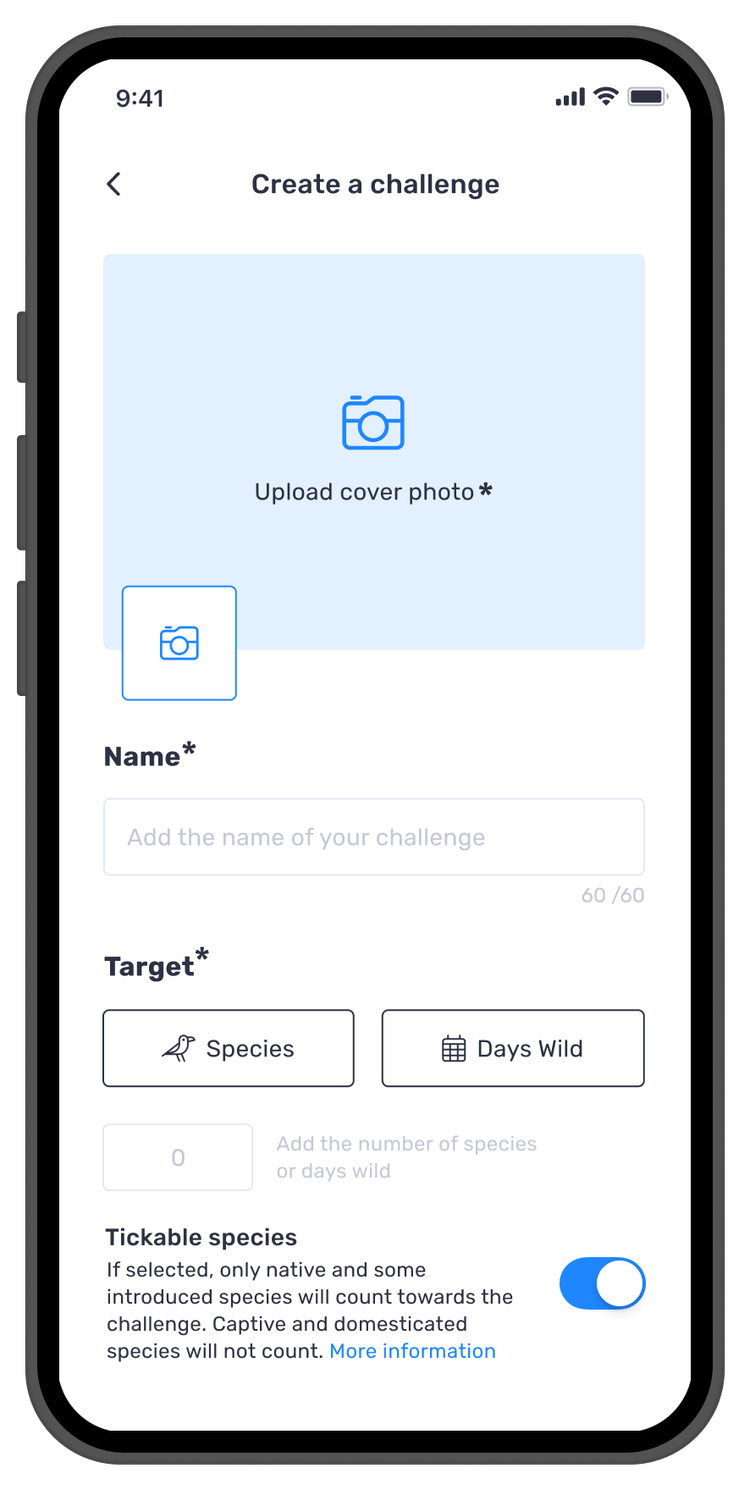
dates and description
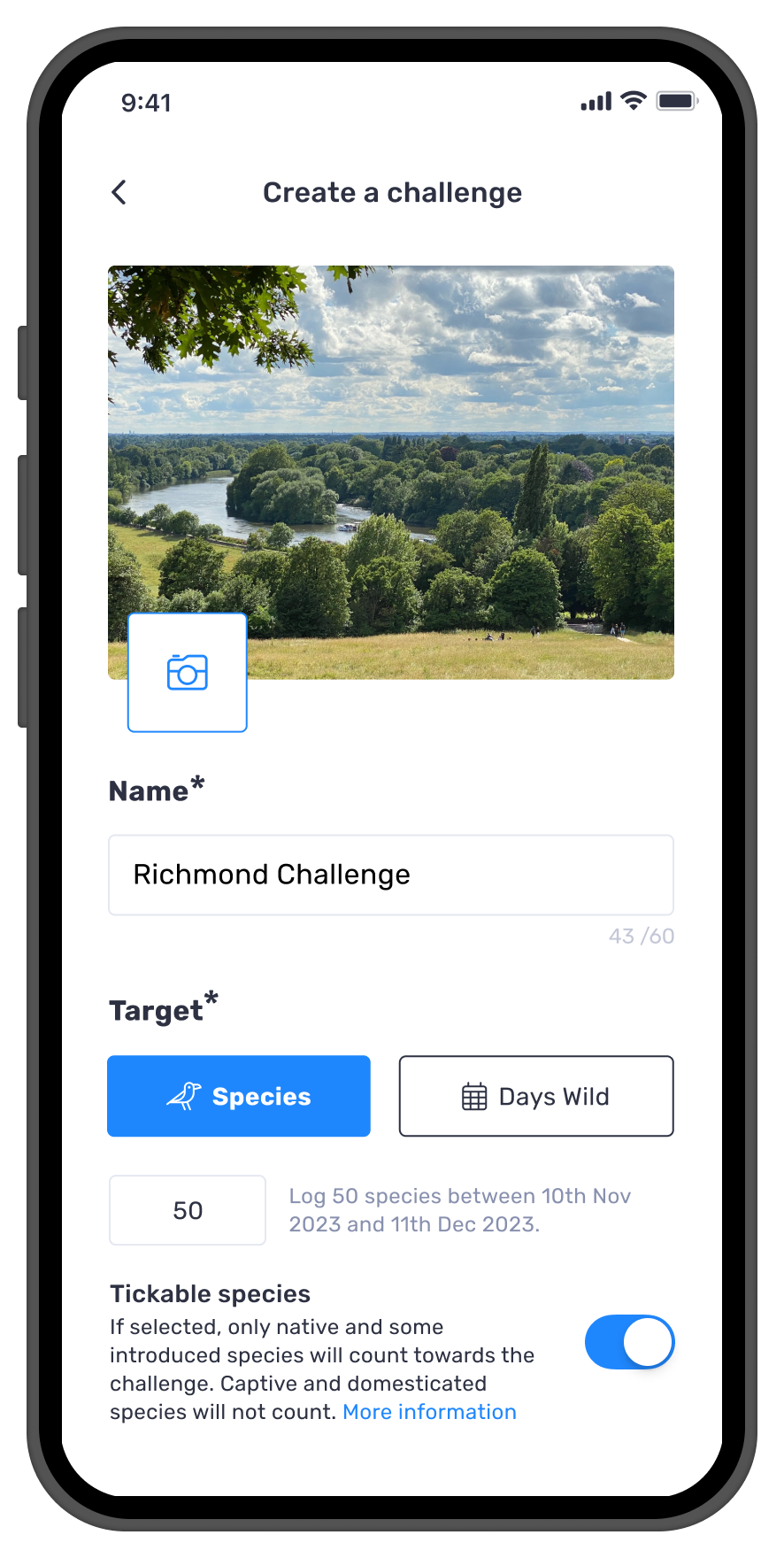
and adding a photo
challenge will look
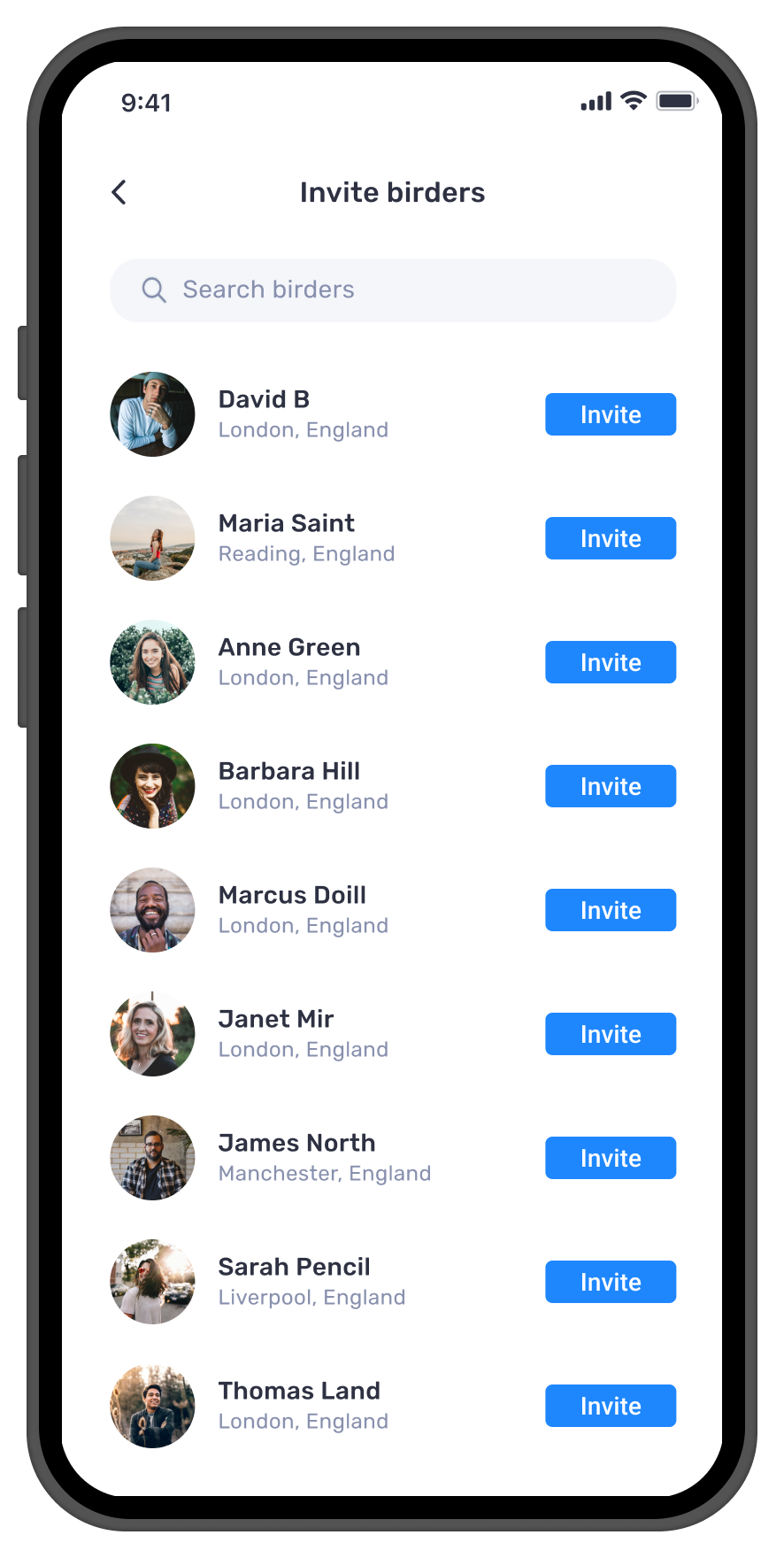
other birders
Creator flow, 4 steps from idea to live challenge
Preview before commit
Users see exactly how the challenge will look to invitees before confirming. A full preview became a mandatory step because challenges cannot be edited after creation.
Transparent confirmation
The confirmation modal explicitly states that the challenge target and dates cannot be changed after saving. Users should never be surprised by a constraint they weren't warned about.
Empty state as a growth moment
If a user has no followers to invite, the screen prompts them to bring friends onto Birda first, turning a potential dead end into a platform growth moment.
dates and description
and adding a photo
challenge will look
other birders
The other side of the challenge
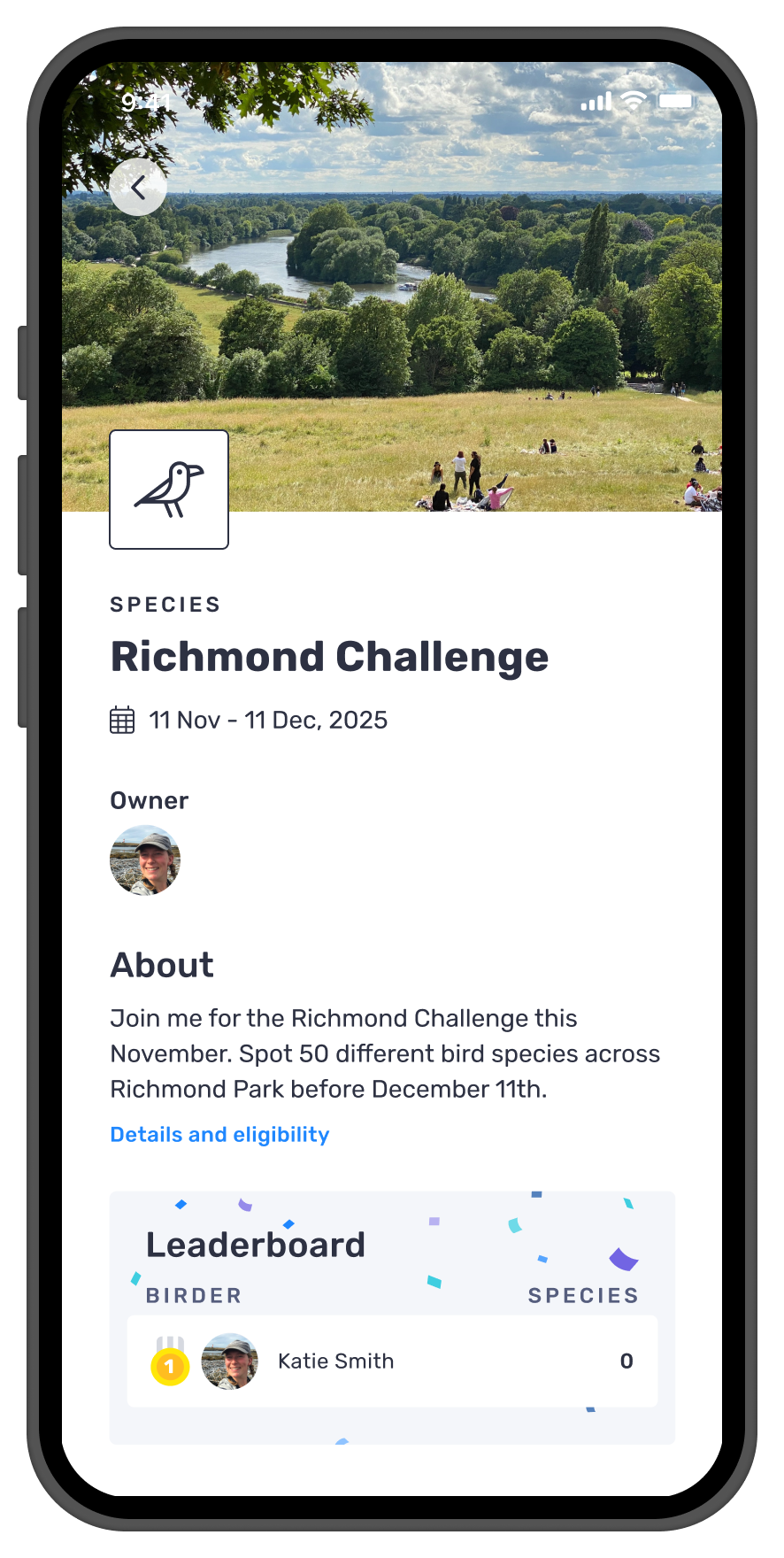
While the creator builds, the invitee receives a notification. From that first tap, the experience had to feel like an invitation, not a task. Immediate, clear, and easy to act on.
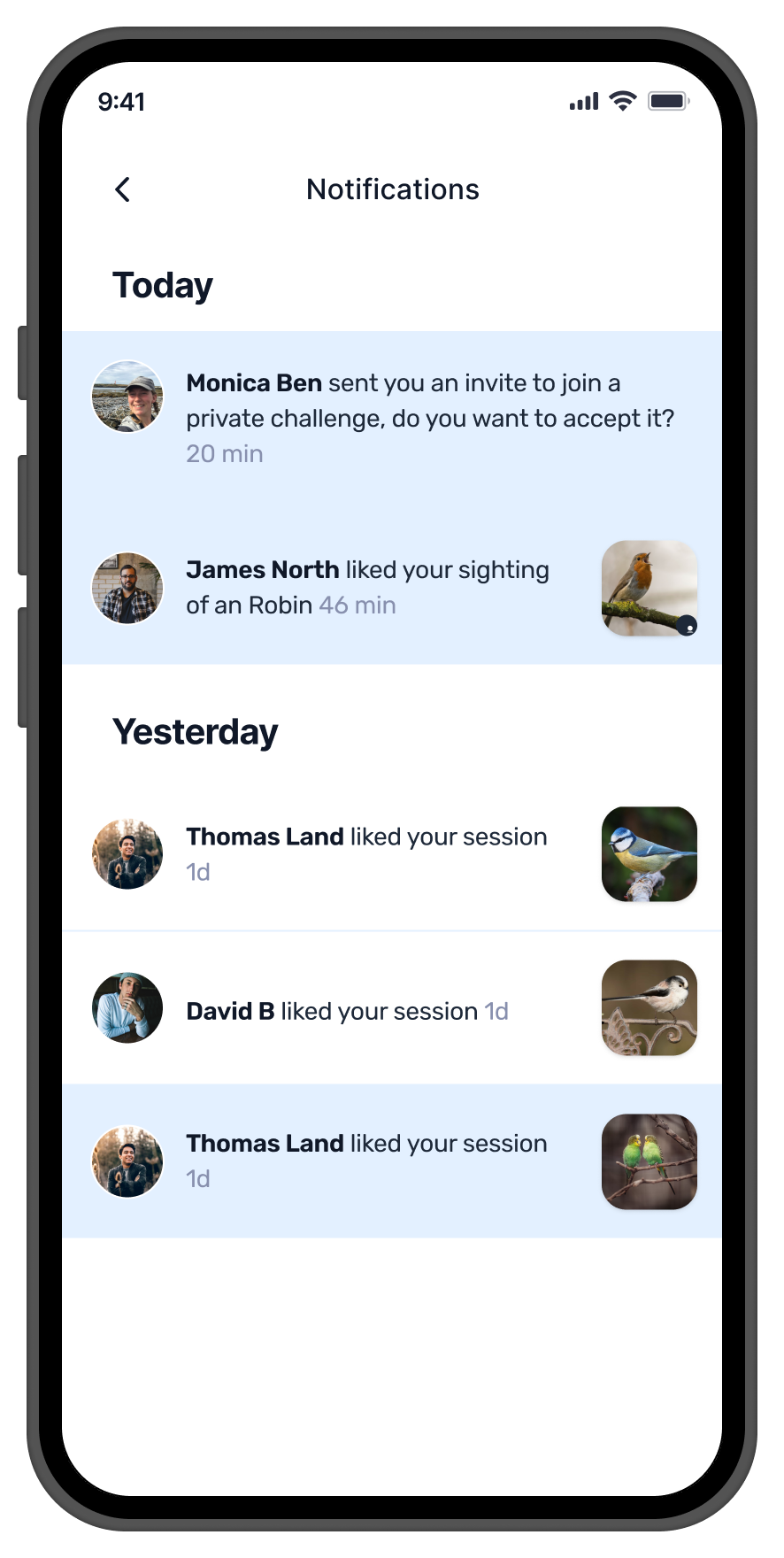
in notifications
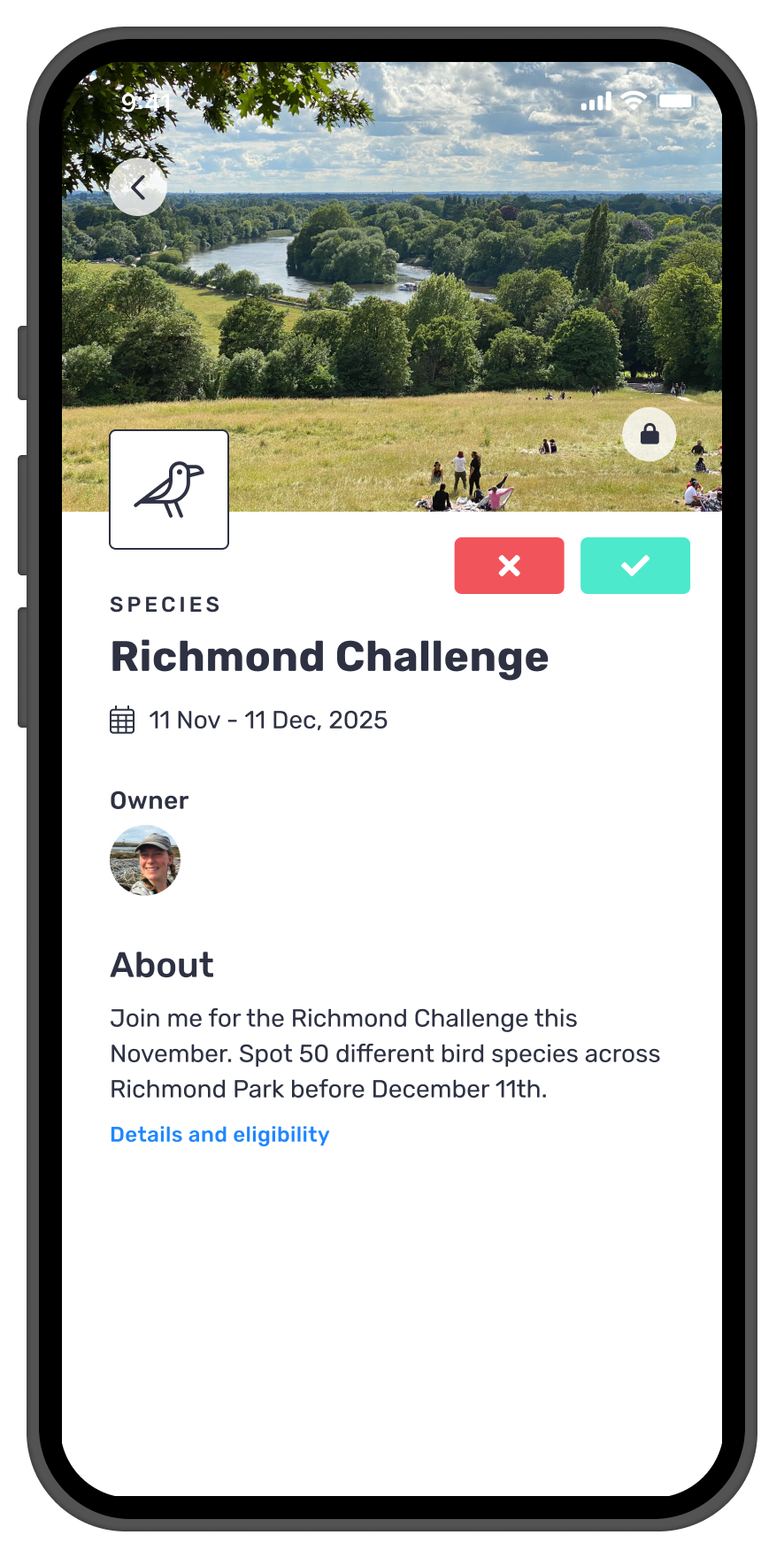
and accept or decline
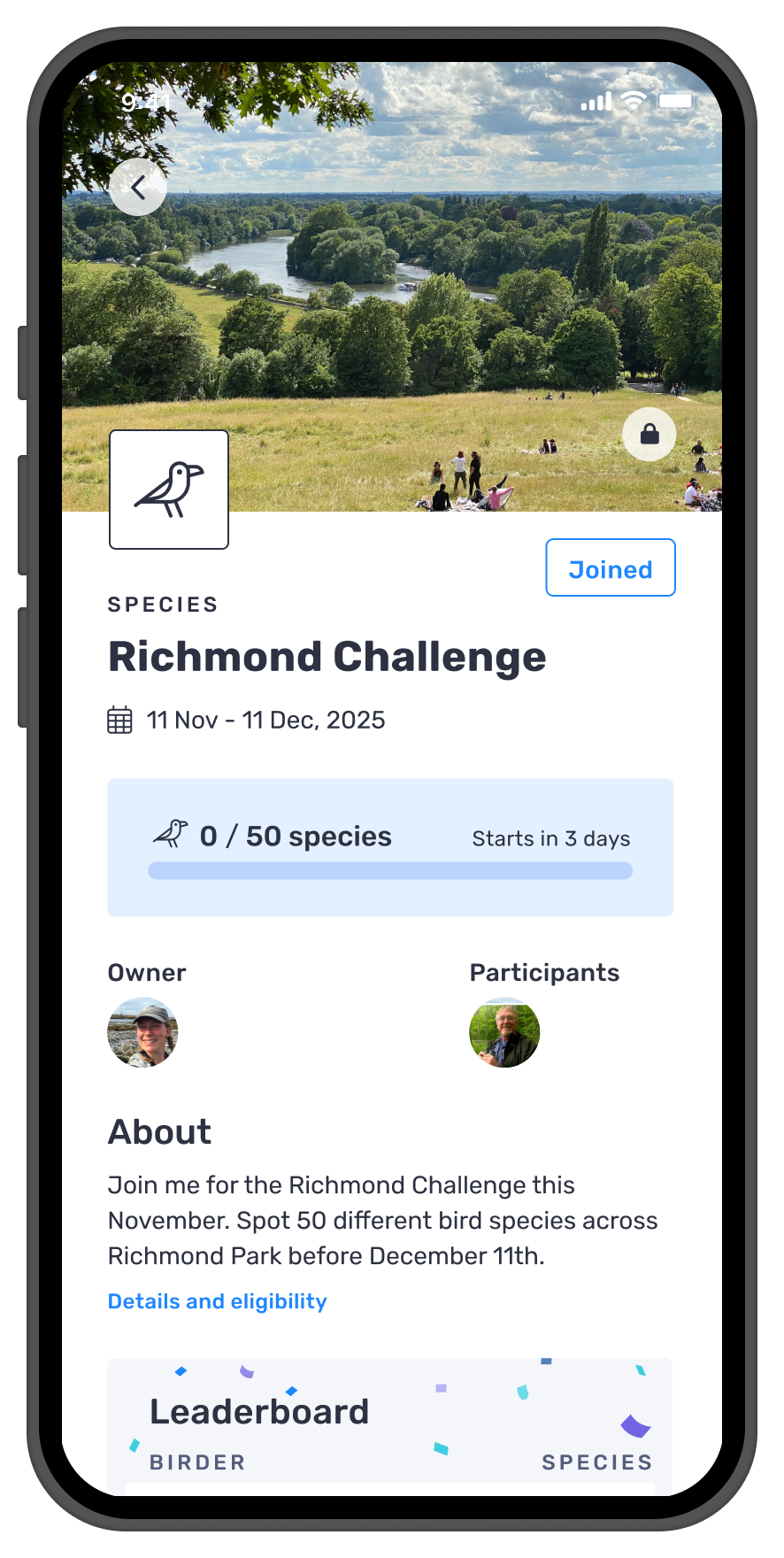
and participants visible
Invitee flow, from notification to competing in real time
in notifications
and accept or decline
and participants visible
A solo hobby, made social
Private Challenges launched as part of the Birda+ subscription tier, answering what had been the community's most persistent request. It gave users a reason to upgrade, and gave Birda a social feature that brought new people onto the platform with every challenge created.
User demand is the clearest brief. No research project surfaced this need, the community surfaced it themselves, loudly and consistently. Sometimes the most important design work starts with listening.
Social features drive organic growth. Every private challenge is an invitation. Every invitation is a potential new user. Building social mechanics into a product is one of the most powerful growth tools available.
Freemium works when the value is real. The 4 free challenges model worked because the feature itself was genuinely valuable. Users who hit the limit had a real reason to upgrade, not an artificial one.